Export mail from a domain
Download up to 31 days per mailbox as a ZIP with mbox, PDF notice, and metadata.
Domain admins (and roles that can manage mail on the domain) export mailbox archives from Domains → your domain → Export. Use this for legal holds, offboarding, or a durable backup for a date range.
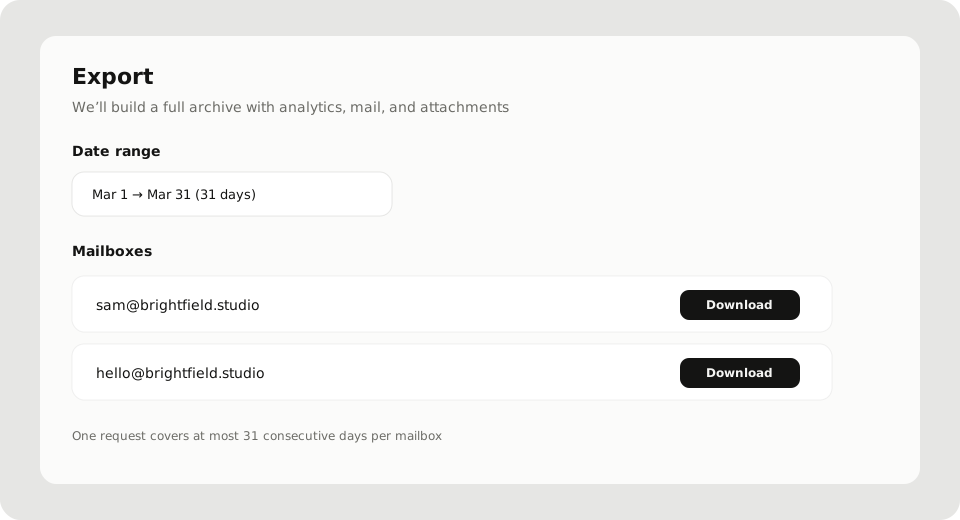
Limits that matter
- At most 31 consecutive calendar days per mailbox per download
- Need older mail? Run another export with the next window
- About 10 exports per user per rolling hour (server rate limit). If you hit it, wait and retry
- Pick the range first, then download per mailbox from the searchable list
What is in the ZIP
Each download is a ZIP that typically includes:
- Mail in
.mboxform - A short PDF notice about the export
- JSON / analytics metadata for the range
Exact contents can grow with the product; treat the ZIP as the full archive for that mailbox and window.
Steps
- Profile → Domains → open the domain
- Open Export
- Set Date range (31 days max)
- Find the mailbox → Download
- Keep the file somewhere safe; Postra does not keep a separate “past exports” locker in the UI
Who should not use this for day-to-day
Saving one conversation for yourself: message menu → Export as PDF. That stays on your device and does not need domain admin rights.
Before you close an account
Export anything critical first. Longer retention windows apply on Professional and above; Starter still lets you export before closure. See Close or restore your account.